

Introduction
In today’s world, having fast and reliable internet is essential. Whether you’re watching movies, gaming, working from home, or browsing online, your broadband fibre router plays a big part in providing the internet speeds and connection you need. The right router can help ensure you stay connected without interruptions.
If you’re already a Rocket Fibre customer—or thinking about switching for superfast fibre broadband—it’s important to understand how broadband fibre routers work. These routers allow you to take full advantage of fibre optic technology, giving you faster speeds, more reliable connections, and better coverage compared to traditional routers.
This guide will explain everything you need to know about broadband fibre routers, from what they are and how they work, to how they can improve your internet connection. Whether you’re using full fibre broadband with Rocket Fibre, or planning to switch to this premium service, it’s key to have the right router. Knowing what to look for will help you get the best speeds, improve your Wi-Fi performance, and make sure your internet connection is ready for the future.
Choosing the right router is essential to getting the most out of your Rocket Fibre service. With full fibre broadband, you’ll enjoy superfast speeds and reliable connections. But it’s the broadband fibre router that makes sure these benefits reach every device in your home smoothly.
What is a Broadband Fibre Router?
A broadband fibre router is the device that connects your home or office to the internet. It serves as the gateway between your local network and the wider internet, allowing you to access the online world. The router is connected directly to your fibre broadband line, either Fibre to the Cabinet (FTTC) or Fibre to the Premises (FTTP), and distributes the signal to all your devices, either through Wi-Fi or via Ethernet cables.
Unlike traditional routers that rely on copper telephone lines, a fibre broadband router uses fibre optic cables to handle higher speeds and deliver a more stable, faster internet connection. This allows users to enjoy quicker download speeds, better upload speeds, and more reliable internet performance for all their devices.
How Does a Broadband Fibre Router Work?
A broadband fibre router works by taking the internet signal from your fibre broadband connection and distributing it throughout your home or business. The router connects directly to the fibre optic cables that run from your internet service provider (in this case, Rocket Fibre), and this high-speed internet is then sent to your devices through Wi-Fi or wired connections.
Depending on the type of fibre broadband you have, the way the router works may differ slightly:
• Fibre to the Cabinet (FTTC): This type of connection uses fibre optic cables from the exchange to the street cabinet, but the final connection to your home is made via copper wires. The router connects to the copper telephone line and delivers the internet signal to your devices. While this provides faster speeds than traditional broadband, it’s not as fast or reliable as full fibre broadband.
• Full Fibre to the Premises (FTTP): This is the most advanced type of fibre broadband where fibre optic cables run directly to your property. With Rocket Fibre, you get full fibre broadband which offers the fastest speeds, most reliable connections, and future-proof technology for all your internet needs.

Why Is a Broadband Fibre Router So Important?
The fibre broadband router is essential for getting the most out of your internet connection. Here’s why:
-Superfast Internet Speeds
A broadband fibre router ensures that you get the most from your Rocket Fibre internet connection, delivering superfast speeds for everything from streaming HD videos to online gaming and working from home. If you’re using full fibre broadband, your router will be able to support the ultra-high speeds that come with fibre optic technology, ensuring a smooth, uninterrupted experience.
-Reliability and Stability
Unlike traditional broadband that relies on copper wiring, fibre broadband offers more stable and reliable internet. With Rocket Fibre, you can count on a broadband fibre router that ensures your connection remains strong and consistent, even during peak usage hours. Say goodbye to lag and buffering during your favourite TV shows or online games.
-Multiple Device Connectivity
In modern homes, it’s common for multiple devices to be connected to the internet at once. A fibre broadband router from Rocket Fibre is designed to support multiple devices seamlessly. Whether it’s smartphones, laptops, smart TVs, or gaming consoles, a high-quality router ensures that each device receives the internet bandwidth it needs without slowdowns.
-Future-Proof Technology
As more and more devices become internet-connected, having a broadband fibre router ensures that your home or office network is future-proof. The high speeds and reliable connection offered by Rocket Fibre‘s full fibre broadband ensure that your network can handle more devices, greater data usage, and higher internet speeds as technology advances.
-Wi-Fi Performance
Many modern fibre broadband routers are equipped with dual-band Wi-Fi, meaning they can transmit data over both the 2.4GHz and 5GHz bands. This allows you to avoid congestion on the 2.4GHz band, which is typically slower and can get crowded. The 5GHz band provides faster speeds and is ideal for activities like streaming, gaming, and video calls. A good fibre broadband router ensures your Wi-Fi connection remains strong and fast, no matter where you are in your home or office.
-Security Features
Security is a top priority when it comes to your home or office network. Many modern fibre broadband routers come with advanced security features like WPA3 encryption, firewall protection, and parental controls. These features help protect your network and devices from cyber threats, keeping your data secure.
How to Choose the Right Broadband Fibre Router
Choosing the right fibre broadband router is crucial to ensuring you get the most out of your Rocket Fibre service. Here are some factors to consider when choosing the right router for your home or office:
– Speed and Performance
Make sure the router you choose is compatible with the fibre broadband plan you’ve selected. If you’re using full fibre broadband from Rocket Fibre, ensure your router can handle high-speed internet. For gigabit-speed plans, you’ll need a router that supports gigabit speeds to get the full benefit of your connection.
– Wi-Fi Coverage
If you live in a large home or have multiple floors, you’ll need a router that offers excellent Wi-Fi coverage throughout your property. Some routers come with mesh networking capabilities, which provide consistent, reliable Wi-Fi throughout large homes, even in areas where the signal might otherwise be weak.
– Dual-Band or Tri-Band Wi-Fi
Look for a router that supports dual-band or even tri-band Wi-Fi. This allows your router to operate on multiple frequency bands, providing more capacity and less interference when several devices are connected to the network at once.
– Security Features
Security is essential, especially with more connected devices in your home. Choose a fibre broadband router that includes the latest security features like WPA3 encryption, firewalls, and parental controls to help protect your network from potential threats.
– Compatibility with Your Broadband Plan
Ensure the router you choose is compatible with Rocket Fibre’s full fibre broadband. Rocket Fibre provides gigabit-speed plans, so it’s important to select a router that can handle such high speeds to maximize your internet experience.
Setting Up Your Fibre Broadband Router
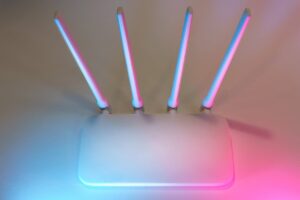
Setting up your Rocket Fibre broadband router is a straightforward process that ensures you can start enjoying high-speed internet in no time. Once you’ve received your Rocket Fibre router, follow these simple steps to get it connected and set up for optimal performance. Whether you’re a first-time user or upgrading your service, the setup process is designed to be easy and hassle-free.
Step 1: Connect the Router to Your Fibre Connection
The first step is to connect your fibre optic broadband line to your router. Using the fibre optic cable, plug one end into the router’s designated fibre port and the other into the wall socket or the fibre connection point in your home. This will allow the router to receive the high-speed signal from Rocket Fibre’s full fibre network. Once the connection is made, ensure that the status lights on the router begin to blink or turn solid, indicating that it is receiving an active internet signal.
Step 2: Power Up the Router
After connecting the router to your fibre broadband line, plug it into a power source and switch it on. Wait for the router’s status lights to fully illuminate. The lights typically indicate the status of your internet connection, Wi-Fi, and the overall health of the router. If you see a solid green or blue light for the internet, it means the connection is live and ready to use. If there are any issues, the lights may blink or show a different colour, which can be a signal to check the connection or restart the router.
Step 3: Connect Your Devices
Once the router is powered on and the internet connection is established, you can start connecting your devices. For Wi-Fi connections, you’ll find the network name (SSID) and the password on a label on the back or bottom of the router. Enter these details on your smartphone, laptop, tablet, or any other Wi-Fi-enabled devices. If you prefer a wired connection, you can connect your devices directly to the router using an Ethernet cable plugged into one of the available ports on the router.
Step 4: Test the Connection
After everything is connected, it’s time to test your internet connection. Open a web browser or run a speed test on your devices to make sure you’re getting the speeds you’re paying for. With Rocket Fibre, you can expect high-speed internet with fast download speeds and minimal latency, ensuring a seamless online experience for everything from video streaming to online gaming.
Step 5: Optimise Your Wi-Fi Settings (Optional)
To get the best possible Wi-Fi performance, you can optimise your router’s settings. This may include changing the Wi-Fi channel for less interference or updating your Wi-Fi name and password for added security. If you have a larger home or need better coverage in certain areas, consider enabling mesh networking or adding a Wi-Fi extender to boost your signal.
Rocket Fibre ensures your setup process is smooth, and if you run into any problems, their customer support team is ready to help you resolve any issues quickly.

Conclusion
In conclusion, choosing the right broadband fibre router is essential to unlocking the full potential of your Rocket Fibre broadband connection. With Rocket Fibre, you’ll experience superfast internet speeds and reliable connections, and the broadband fibre router ensures these benefits are delivered seamlessly to all your devices. Whether you’re streaming HD content, engaging in online gaming, or working from home, your router plays a critical role in providing the smoothest possible experience.
A reliable fibre broadband router makes a noticeable difference in download speeds, upload speeds, and overall performance, especially when multiple devices are connected. With dual-band Wi-Fi, mesh network capabilities, and robust security features, Rocket Fibre’s routers help provide high-speed internet to everyone in your home or office. These features make sure you enjoy lag-free gaming, buffer-free streaming, and uninterrupted video calls, regardless of the number of devices connected.
Moreover, choosing Rocket Fibre for your full fibre broadband means you’re opting for a future-proof connection that’s built to handle increasing demands. As more devices become connected and data usage increases, Rocket Fibre ensures you have the internet speed and connection stability to meet those demands without experiencing slowdowns. With Rocket Fibre, you can enjoy the ultimate internet experience, knowing that your router is optimized to handle the fastest fibre broadband speeds available today.
So, whether you’re new to Rocket Fibre or upgrading to a fibre optic connection, make sure to choose the right broadband fibre router for your needs. Use the postcode checker to see if Rocket Fibre is available in your area and discover the perfect internet plan that suits your needs. Rocket Fibre is here to help you stay connected with fast, reliable internet for all your digital activities.